
Digital media is increasingly demanding, requiring attention-grabbing content. Lip-sync technology now allows creators to transform still pictures into animated characters that speak naturally and move their lips. Pippit simplifies this by offering an easy-to-use tool that converts photos into animated storytelling assets. This shift enables marketers, educators, and creators to develop immersive content without advanced editing skills, increasing engagement and narrative possibilities across platforms.
How Lip Sync AI Animates Static Images
Lip sync technology converts still portraits into talking avatars by analyzing facial geometry. It identifies landmarks on the lips, jaw, and eyes, then predicts natural mouth shapes using audio and speech patterns. This allows movement creation that aligns expressions with verbal information. Modern programs like Pippit integrate these features into a video agent that simplifies avatar creation from pictures. Frame-by-frame animation is timed to audio signals for a realistic effect. The system enhances emotional expression by making small changes to facial features in still images. This technique enables narration, branding, and interactive media without manual frame editing or motion capture.
Core Features That Enable Talking Photos
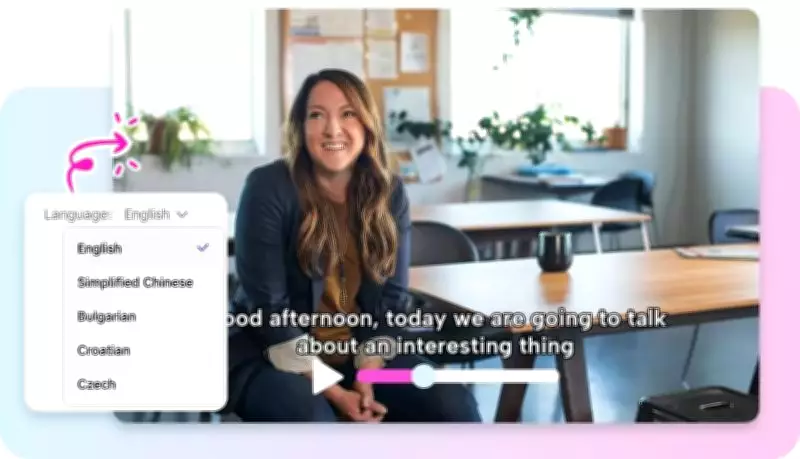
Pippit goes further by making still images look like talking characters with expressive features. Speech and facial movements are synchronized using AI-produced lip movements. Gestures simulate real presence with natural head and eye movement. Voice integration supports multiple tones and languages for diverse storytelling. These features improve visual communication in marketing, education, and entertainment. The platform also offers customizable avatars tailored to different content and branding purposes. The photo-to-video AI analyzes still images and converts them into natural, engaging interactive narratives. This seamless flow simplifies editing and ensures high production quality.

Creative Applications of Talking Images
Pippit enables animated photo applications across diverse sectors. Social media creators use talking avatars for engaging storytelling posts and interactive reels. Teachers can simplify complex lessons and retain student attention with animated images. Marketing teams create promotional content that expresses product messages expressively through avatars. These applications enable more interactive engagement with visuals, voice, and motion in the same format. Content becomes more memorable with realistic human-like expression and synchronized speech. Moving images enhance brand communication and retention.

Steps to Bring Static Images to Life with Lip Movement Using Lip Sync AI
Step 1: Open the Animation Tool and Select an Image-Based Avatar
- Log in to Pippit and access the dashboard to start animating your visual content.
- Click on "Video generator" from the left-hand menu to open the workspace.
- In the Popular tools section, choose "Avatar video" to transform static visuals into talking avatars.
- This feature enables voice-synced lip movement with images for a more realistic effect.
Step 2: Convert the Image into a Talking Avatar with a Script
- Enter avatar tools and review options in "Recommended avatars" under "Choose avatar".
- Apply filters like gender, age, industry, name, scene, pose, outfit style, or figure to match your image style.
- Select an avatar, then click "Edit script" to define the image's speech.
- Add text in multiple languages and allow accurate lip-sync animation.
- Choose suitable captions using "Change caption style" to enhance visuals.
Step 3: Enhance Animation, Export, and Share
- After applying lip movement, click "Edit more" to improve animation details.
- Adjust timing, voice flow, and facial motion for realism.
- Add overlays and music to enrich the final output.
- Click the "Export" tab when done.
- Select "Publish" for platforms or "Download" to save your animated video.
Designing Effective Talking Image Content
Good talking images start with clear source images that accurately indicate facial design. High-resolution images make animation more stable and realistic. The character's appearance and intended emotion should align with the script. Voice tone is a significant element of realistic performance. Pippit improves this workflow by enabling creators to match dialogue timing and expressive avatars with lip sync AI processing. Sufficient synchronization of speech rhythm and facial expression prevents unnatural output. Planning ensures personality and visual identity are implemented through animation. This process helps develop strong stories that are logical, expressive, and visual across any content format.
Best Practices for Engaging Talking Photos
Interactive talking photos require a trade-off among visual legibility, script matching, and smooth motion. High-resolution images ensure detailed face mapping and consistent animation output. To be genuine, the script's tone must align with the character's personality. Delays between lips and speech are removed through accurate voice synchronization. Subtle animation of natural expressions is done without exaggeration or image distortion. Preview testing helps identify inconsistencies before final export and simplifies results. Pippit proposes progressive refinement, which continually improves overall quality.
Conclusion
Lip-sync technology enables still images to come to life as online narratives. It empowers creators to deliver interactive storytelling through realistic talking avatars. Pippit simplifies this process by integrating animation, voice, and facial mapping into a single workflow. Lip-sync AI development enables more content creation in an accessible, efficient, and visually pleasing manner across industries. Animated photos are now used in education, marketing, and entertainment. This innovation is changing digital media, making still photos interactive, expressive, and highly engaging for diverse audiences worldwide.